Learning Tools

Curriculum
All math topics


How to Graph Vector Sums and Differences in GeoGebra
You can use GeoGebra to draw the sum and difference of vectors.
GeoGebra Instruction 1
- 1.
- Open
Algebra ViewandGraphics Viewunder
Viewin
Menu. - 2.
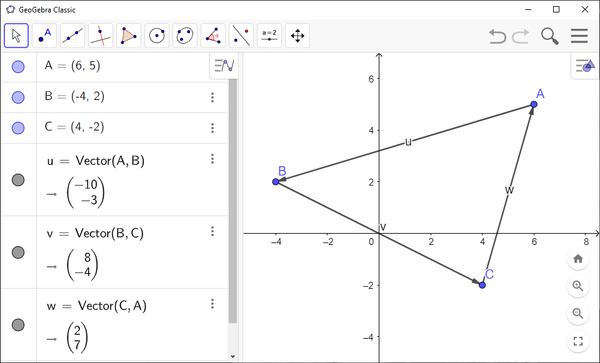
- Create three points , and .
- 3.
- Use
Vector to make the vector from to , the vector from to , and the vector from to .
You can see from the figure you have made that . You can also see that .